Heuristic analysis and UX review
Every screen measured against established usability principles, with findings ranked by how much they cost you rather than how much they bother us.
Severity-rated and actionable.
Soluxain does enterprise software design and UX audits — the kind of application work where people use your tool every day and it fights them. Claims queues, dashboards, admin tools, configuration screens. Dense, unglamorous, high-consequence software where a confusing layout is not an annoyance — it is a denied claim, a missed deadline, or three hours a day lost across a team. We work in Figma and Figma AI, in LLM tooling, or in both, depending on what your team already runs.
A national pharmacy benefit manager needed a demo-ready analytics product for a national industry conference. The brief landed seven days before launch, and the only starting material was a recorded meeting transcript.
What we did. Wireframed nine screens by hand in Figma against the client’s governed component library, then used Figma Agents — not Figma Make — to generate and iterate full-fidelity interactive prototypes from that same library. Three documented review rounds, a full brand-compliance audit, two persona sets and two journey maps, all inside the week.
What shipped. A 25-slide presentation deck and a clickable production-fidelity prototype, both signed off by marketing against the brand system. The demo generated more qualified leads than forecast.
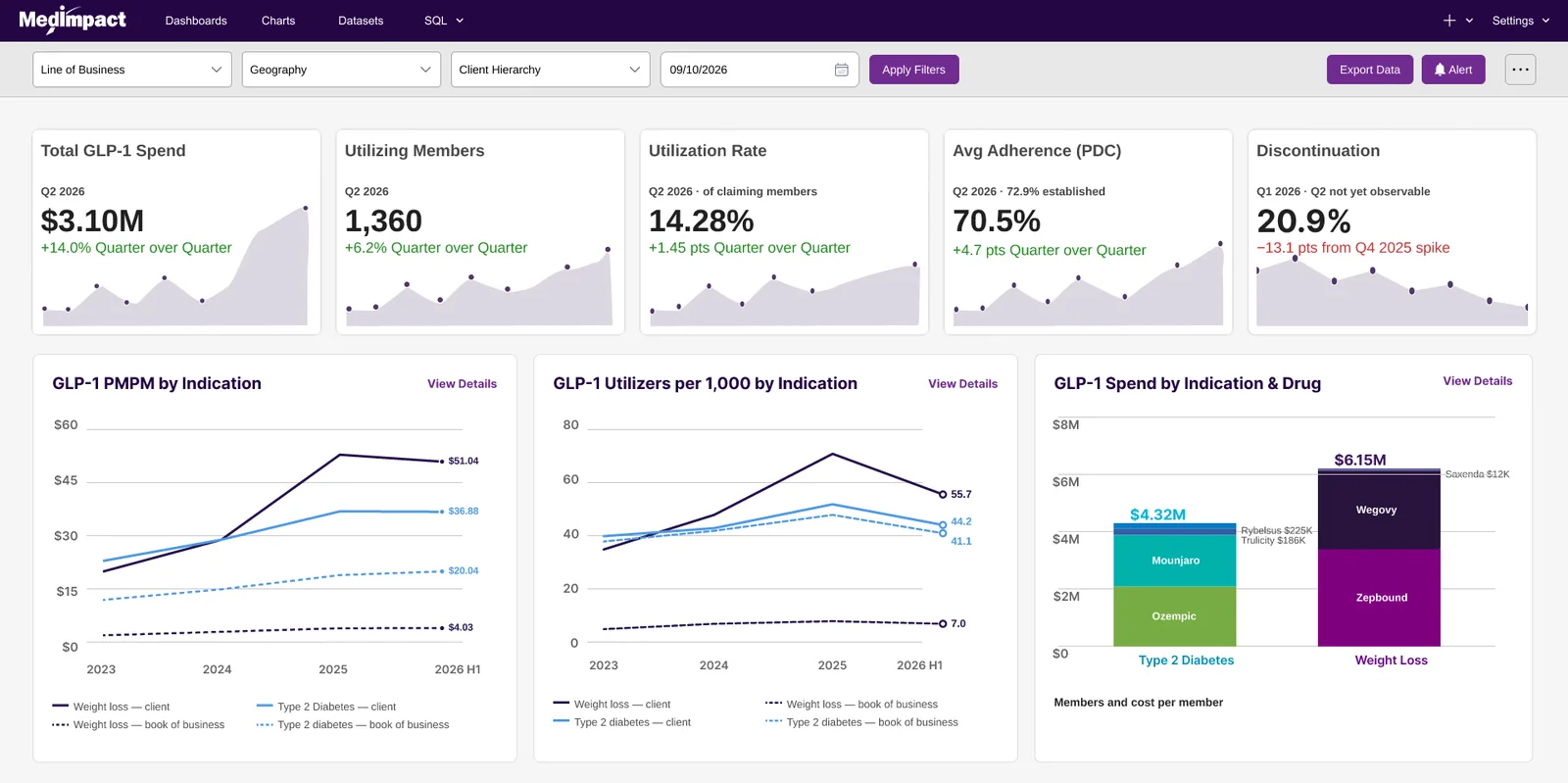
The shipped main dashboard, used live at the conference
A multi-year pharmacy-benefits platform serving two audiences through one interface: organisations administering benefits for their own downstream clients, and internal teams administering members directly.
The hard part. Configuration lives at six levels, and values flow down and get overridden. Every screen has to answer not just what a setting is, but where it came from and what changing it will reach. Benefits are assembled from reusable components rather than authored from scratch.
How it was built. Hand-built in Figma against a design system made for the project — sixteen component families, governed as the single source of truth. AI was used for competitive gap analysis, release sequencing and research synthesis, and kept to a minimum in the screens themselves.
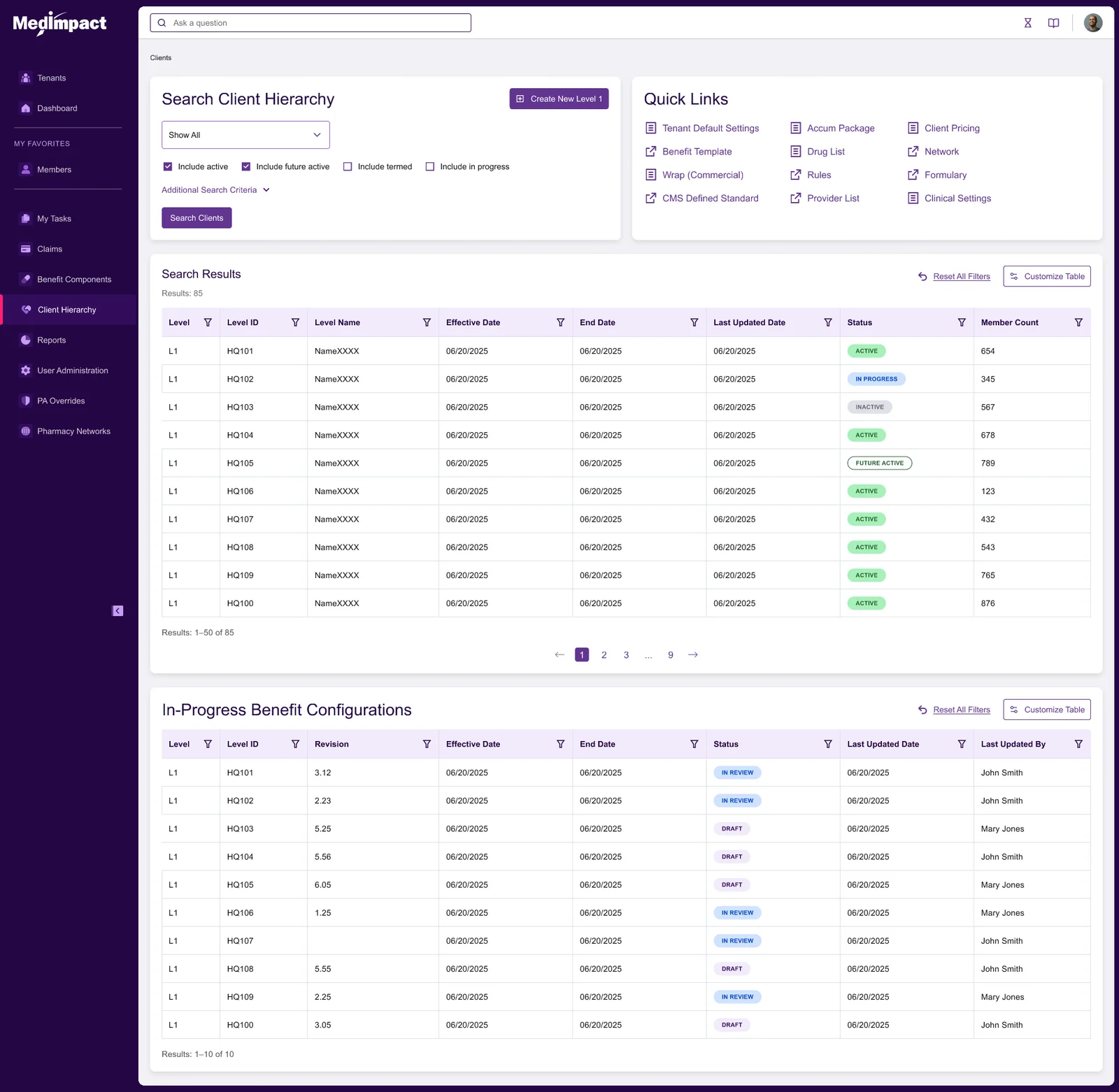
The benefit components landing page
A pharmacy claims review process spread across three disconnected applications. Auditors lost their place constantly, training took months, and throughput sat flat at thirty reviews a day.
What we did. Contextual inquiry with four users across two roles. A heuristic read of every screen in the existing flow. Current-state and target-state flow models. Iterative wireframes, then an interactive prototype taken through two rounds of moderated usability testing before a line of production code was written. Three applications collapsed into one wizard-driven screen.
This redesign has exceeded our team’s expectations. The ease at which the users can now complete tasks is very impressive, and onboarding new trainees will be much easier with this new process.
Most engagements start with an audit, because the expensive mistake is redesigning the wrong thing beautifully.
Every screen measured against established usability principles, with findings ranked by how much they cost you rather than how much they bother us.
What your competitors solved, what they got wrong, and which conventions your users already carry in their heads from using someone else’s tool.
Flows, wireframes, and interactive prototypes real users test before engineering commits, built in Figma with a component library your developers build against — variants and states documented. Where an LLM workflow gets there faster, or where your team already lives in one, we work that way instead. You pick, or we recommend and you decide.
The cheapest way to find out whether the problem is the interface, the workflow, or the assumption underneath both. Fixed scope, fixed price, no obligation to continue.
We walk what you have the way your users actually move through it, benchmark it against your competitors, and measure it against usability principles settled long before anyone called this a discipline. You get findings ranked by impact and effort, and a roadmap any development team can act on — ours or yours.
Tell us what you have and who uses it. We come back with what is wrong, what it is costing you, and what fixing it would take. If nothing needs fixing, we say that too.
Request an auditGet told when the book lands, when a console section gets re-checked, and when a prompt in the library stops working. No other email, ever.
Join the list